
How To Install EtherCalc on Ubuntu 16.04
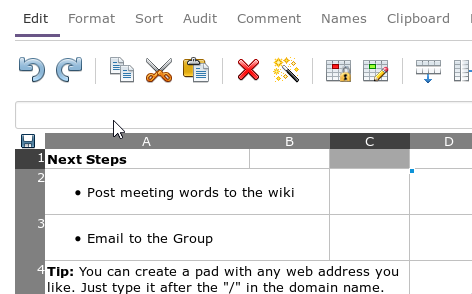
EtherCalc is a web spreadsheet. Your data is saved on the web, and people can edit the same document at the same time. Everybody’s changes are instantly reflected on all screens.
Work together on inventories, survey forms, list management, brainstorming sessions and more!
1. First, Install Nodejs
2. Install dependencies
$ sudo apt-get install gzip git curl python libssl-dev pkg-config build-essential3. Install EtherCalc
$ sudo npm install -g ethercalc
$ ethercalc
Navigate to http://localhost:8000 or http://your-IP:8000 to open ethercalc default page
NOTE: If using Vagrant, below is an example of how to set port forwarding in Vagrantfile:
config.vm.network "forwarded_port", guest: 8000, host: 80004. (Optional) Install Redis
Redis is an open source software which is used for advanced key-value cache and store. It is often referred to as a data structure server. If we running Redis server in our system, EtherCalc will prefer it over file-based storage to improve performance.
$ sudo apt-get install python-software-properties
$ sudo add-apt-repository ppa:rwky/redis
$ sudo apt-get update
$ sudo apt-get install redis-server
To check status:
$ redis-cli pingOutput:
PONGIf a Redis service is running on the same host, EtherCalc will prefer it over file-based storage to improve performance.
REFERENCES
https://www.2daygeek.com/ethercalc-installation-in-linux-mint-17-ubunt-14-04-debian-7-6/
https://ethercalc.net/